

We’ve all seen them cross our feeds from time to time, especially if you follow News Stations, The post with a headline like
“4 Arrested in Police Raid”
And sure enough, the next thing you are likely to find in the comments section is someone, let’s call them Joe Smith, making a comment like this
Joe Smith: Jane Doe is this the event you saw?
Seems like a fairly simple enquiry about something that you were discussing with a friend, but actually, without thinking about it Joe Smith may very well have put Jane Doe in danger. Here’s why.
Police activities are rarely a one and done situation, as after the fact there is always the chance of bail or associates to those who were involved being factored in. In the case of Jane Doe, Joe Smith just commented a tagged link to her profile on a PUBLIC PAGE!
This means that parties involved who may be looking to quiet witnesses now have a Name, a Face and quite possibly a physical address to track Jane down at.
Fortunately for all of Us, Facebook has a way that you can enquire about these type of posts with friends without going through the act of a public tagging that can put a friend at risk.
On every post, the Share option gives a user the chance to do the following choices
1. Share Now (Friends)
2. Share
3. Send as Message
4. Share on a friend’s timeline
5. Share to a Page
The key to Joe keeping Jane safe in this situation is to use option 3 “Send as Message”
By sending the post as a Message, Joe can enquire to Jane if this is indeed the event that was experienced WITHOUT the public tagging of Jane in a post that anyone with computer access can read.
So, the next time you find yourself wondering if your friend was talking about having seen an event that just got posted on that News page, Do them a favour and message it, the lives you might be saving are both your own and theirs.
Subscribe

 Posts
All Comments
Posts
All Comments
11/06/2017

10/27/2017
Oct 2017 Update from the Inertial Zen Designs Office
With this post, Inertial Zen Designs is starting something new, a Newsletter like monthly post to tell you what has been happening around the office.
Firstly, you may have noticed that the Inertial Zen Designs Website was out of commission for about a week's time. This was due to an issue on Our server host's end. The Site is back up and working.
In the next while, you will also notice that the Website has added a small bit of on screen advertising. Inertial Zen Designs has decided to partner with Google's Adsense platform in hopes of reducing some of the costs associated with running the Website and, hopefully be able to serve the end user ads that are relevant to their visit without running into issues with questionable content being served via a non trustworthy Advertising platform. Information in opting out of Google's Adsense tracking can be found on the privacy policy page of the Website.
If you happen to follow Inertial Zen Designs on Facebook you might have noticed that We recently shared up the following two photos


These images represent the advertisement for Inertial Zen Designs's Artisan Portfolio Package. The Artisan Package includes up to 5 pages of Web Design that will allow local talent to showcase their creations at a reasonably priced $360.00 tax included fee.
These packages are great for the home based Artist, Upstart Musician, Aspiring Actor and any other types of creative types wishing for an inexpensive showcase of their talents online.
Speaking of Artists and showcasing their talents, I will be checking out the UNBC hosted Artisans of the North Fair this weekend and will have business cards and promotional postcards with information about the Artisans Package with Me. I am looking forward to discussing options with the local talent in the area.
Well, that's it for this update. Don't forget you can follow Inertial Zen Designs on Facebook , and Twitter or check out the Website at inertialzendesigns.com
See you all Next Month right here
David Peters
Certified Web Technologist and Owner Inertial Zen Designs
Firstly, you may have noticed that the Inertial Zen Designs Website was out of commission for about a week's time. This was due to an issue on Our server host's end. The Site is back up and working.
In the next while, you will also notice that the Website has added a small bit of on screen advertising. Inertial Zen Designs has decided to partner with Google's Adsense platform in hopes of reducing some of the costs associated with running the Website and, hopefully be able to serve the end user ads that are relevant to their visit without running into issues with questionable content being served via a non trustworthy Advertising platform. Information in opting out of Google's Adsense tracking can be found on the privacy policy page of the Website.
If you happen to follow Inertial Zen Designs on Facebook you might have noticed that We recently shared up the following two photos

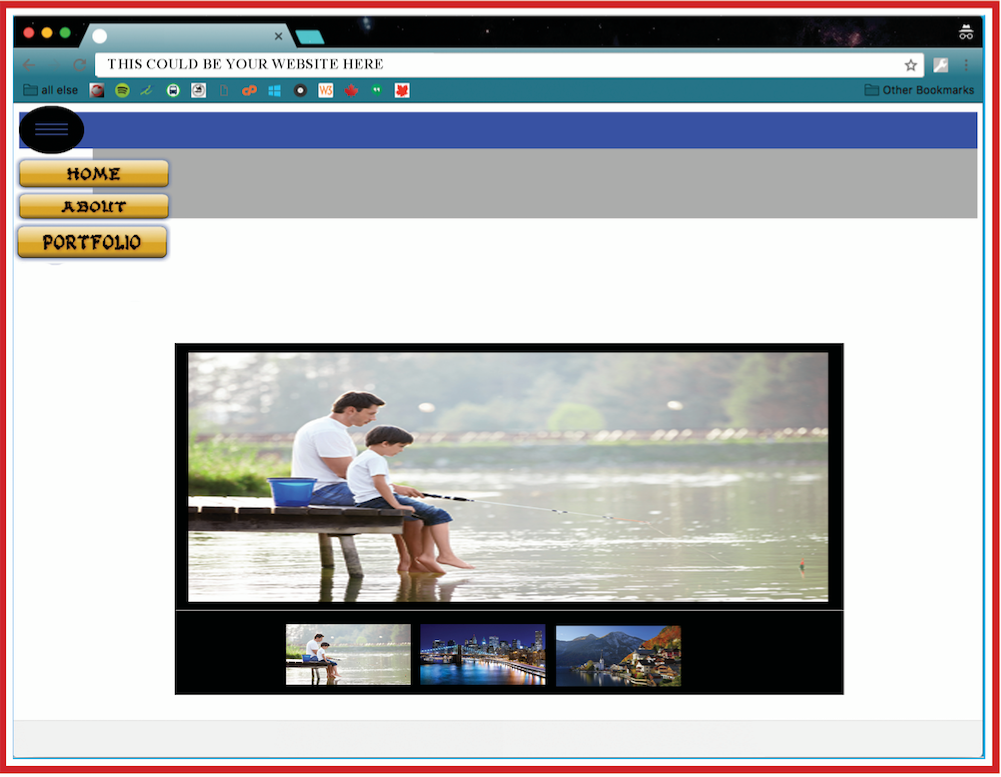
These images represent the advertisement for Inertial Zen Designs's Artisan Portfolio Package. The Artisan Package includes up to 5 pages of Web Design that will allow local talent to showcase their creations at a reasonably priced $360.00 tax included fee.
These packages are great for the home based Artist, Upstart Musician, Aspiring Actor and any other types of creative types wishing for an inexpensive showcase of their talents online.
Speaking of Artists and showcasing their talents, I will be checking out the UNBC hosted Artisans of the North Fair this weekend and will have business cards and promotional postcards with information about the Artisans Package with Me. I am looking forward to discussing options with the local talent in the area.
Well, that's it for this update. Don't forget you can follow Inertial Zen Designs on Facebook , and Twitter or check out the Website at inertialzendesigns.com
See you all Next Month right here
David Peters
Certified Web Technologist and Owner Inertial Zen Designs
7/13/2017
Steps to help filter out “Fake News”
This blog post is a bit different than the normal posts here. In this one I have taken the time to point out some of the ways We, as end users, can help to filter out Fake News and Hoaxes in the Social Media World We all live in. No specific sites in the examples have been linked to in order to all you the reader to make up your own mind.
The TL:DR for those who just feel they don't have time to read this entire post is simple Think before you post.
The TL:DR for those who just feel they don't have time to read this entire post is simple Think before you post.
Step 1: STOP RELYING ON FACEBOOK AND TWITTER AS SOURCES
Facebook and Twitter are wonderful ways to keep up to date on activities and events in your social circle, but when it comes to being a source of News the “What’s Trending” section is not without it’s issues.
Both Facebook and Twitter’s Trending topics are simply a ranking of data tracked in the stream. It’s an indication of what the masses are discussing. There in lies the problem, with the speed that a Fake News story or hoax can be introduced into the stream and shared through invoking an emotional reaction, a story can become the most talked about topic on the globe and never actually happened.
Step 2: REALIZE THAT THE BEST LIES ARE BASED IN TRUTH
One of the key elements to a good lie is that, in most cases, it has to be believed to be effective. In many a situation, this means that there needs to be elements of truth involved.
Lacking a believable basis means a story falls apart, and the more players involved in the story the larger the chance is that details wont always add up. In the caee of Fake News and Hoaxes, checking for this starts right at the headline of the piece by asking yourself the simple question of
“Is this something that could believably happen? Remember you can’t even spell Believe without the word lie, see it’s right there in the middle beLIEve
Step 3: USE THE 5W’s BEFORE SHARING
We should all remember these from our school current event studies, the 5 W’s known as Who,What,When,Where and Why, which were used to help us employ critical thought.
In fact, let us use an example to try to break down how the 5W’s can be used. The other day, I got this message via Facebook from a family member
Hi I'm mark The Director of facebook
Hello everyone, it seems that all the warnings were real, facebook use will cost money
If you send this string to 18 different from your list, your icon will be blue and it will be free for you.
If you do not believe me tomorrow at 6 pm that facebook will be closed and to open it you will have to pay, this is all by law.
This message is to inform all our users, that our servers have recently been very congested, so we are asking for your help to solve this problem. We require that our active users forward this message to each of the people in your contact list in order to confirm our active facebook users if you do not send this message to all your facebook contacts then your account will remain inactive with the consequence of Lose all your cont the transmission of this message. Your SmartPhone will be updated within the next 24 hours, will have a new design and a new color for the chat. Dear Facebook users, we are going to do an update for facebook from 23:00 p.m. until 05:00 a.m. on this day. If you do not send this to all your contacts the update will be canceled and you will not have the possibility to chat with your facebook messages
Will go to pay rate unless you are a frequent user. If you have at least 10 contacts
Send this sms and the logo will turn red to indicate that you are a user
Confirmed ... We finish it for free Tomorrow they start to collect the messages for facebook at 0.37 cents Forward this message to more than 9 people of your contacts and it will be free of life for you to watch and it will turn green the ball of above do it and you will see
This looks pretty scary at first even though on close inspection it looks like two different messages have been mashed together (notice half way along where after it mentioned the change in color for your chat windows it goes into "Dear Facebook Users..." as it has people wondering if they could end up paying for Facebook unless they do a specific action, but lets apply the 5W’s to this
Who? This message appears to be from mark The Director of facebook. Ok, We’re supposed to assume that is meaning Facebook CEO Mark Zuckerberg right? so that brings us to
What? Forward this message (how, via Facebook Messenger or SMS?, both are instructed) to 18 people. and we are all supposed to do this,
When? By 6pm on an unspecified date, and We are supposed to do this
Where? On our Smart phones
Why? Because if We Don’t Facebook’s iconic blue icon will turn red and We get charged for using Facebook, If We don’t We’ll be locked out of Facebook.
Now, lets apply some critical thought to this, Firstly Mark is too busy overseeing a company with almost half the world as users, plus the fact is He has been off touring the United States with his family when not in the office. Secondly, this can be debunked with asking yourself one question. Do you really think a Multibillion Dollar company would try a ploy of “free for you if you spam your friends, pay if you don’t”?
Step 4: FIND YOUR TRUSTED SOURCES AND DEBUNKING SITES
Trying to work one’s way through Fake News is always going to be a challenge, The 5W’s listed in Step 3 can help, but so can finding credible, unbiased news sources. Which sources are, of course, going to be affected by one’s own personal beliefs and viewpoint, so I won’t make suggestions on which ones you should pick specifically, but using the sources that the News Stations use, like Reuters or the Associated Press are good areas to start.
When it comes to making choices on specific sources, check the ownership, an example of this would be the Washington Post. Owned by Jeff Bezos, Founder and owner of Amazon, an article on the success of an Amazon event could very well have the potential to have a spin on it due to the common factor of the company’s owners. (Disclaimer: I am not saying this is the case, simply using this as an example for educational purposes)
It’s also very handy to keep a collection of debunking sites around to check stories against, but make sure your selected sites are not simply quoting other debunking sites and they do their own investigating. After all, site like Snopes saying something is debunked is not the same as if Hoax-Slayer said it was debunked just because Snopes said it was. (once again, example used for education purposes only here)
Step 5: THE ABOUT SECTION IS YOUR FRIEND
Pretty much any Website in this modern times has an about section that tells you a bit about those behind the Website. This is important as there are Websites that do News Satire, stories which are clearly written to entertain rather than inform.
A good Satire site will make this clearly known. Some will place a pop up on the site, a banner or other means of letting the user know. With a little detective work on your part this information is usually pretty easy to locate.
Step 6: BE AWARE OF CLONED SITES BY KNOWING YOUR TRUSTED SOURCES
Web Design template setups, like Wordpress, have made the job of cloning a reliable source’s Website easier than ever, all any party has to do is copy a few images, locate the theme and launch a domain and they can have an exact clone of CNN’s look (or to be fair any other Site) right down to a address that looks right.
This can make knowing the source is a reliable one fairly hard to do, unless one is ready to again do some detective work. The World Wide Web is an extensive catalog of data, and as such is held in a library of indexed links known as Domain Name Servers, or DNS. What this means is that, as an end user, We have tools to check on a Website. Through a simple google search phrase, WHOIS, coupled with the address of a Website, users can locate where the servers for the site are located, how long the site has been online and, unless a site owner has paid to keep it hidden, who owns the Domain address.
So, since we used CNN before, lets keep with that example. If you ended up on what appeared to be a CNN Website, but the address didn’t seem right and the story didn’t pass the 5W’s, what should you do? That is easy. Take the address up to the inclusion of a Website extension (typically a dot com) and run it through a Whois search. You never know when you will find that the article is actually on a bogus site owned by Boris in Moscow.
This has been, by far, one of the longer blog posts I have written for the Inertial Zen Designs Blog, but I hope it can help you come up with some of your own techniques and ways to help curb hoaxes and Fake News. Thank you for reading.
Dave, inertialzendesigns.com
6/05/2017
What Augmented Reality could mean for Website Design.
Imagine you are sitting in your living room looking at a online shopping site. As you are looking around you notice a brand new painting that you would think might look perfect over your electric fireplace. But wait! is that a $1500 price tag on that print?
Suddenly, you start doubting yourself, sure you love the painting, but what if you only love it on the website? Your thumb hovers over that buy it now button as you look back and forth at your wall and your cart. Suddenly the light bulb moment goes off!
YOUR DEVICE HAS AUGMENTED REALITY!
So, you go back to the listing to see if it has support for this, and It Does! Tapping the button, you give the page temporary access to your camera and point your device at the space where you were thinking of hanging the painting.
Thankfully, the site had the fore though to have done a 3D scan of the painting, complete with the frame, and the augmented reality protocols can even tell you the exact distance you need to stand away from the wall to see it placed at a 1 :1 viewing ratio.
The result, you find that the painting is PERFECT for your room, and you order it. A few weeks later, as you host that cocktail party, your purchase, and how it accents the entire decor of the room is the topic of the night.
All thanks to fact that at the core of things, that Website had the knowledge and fore thought to have their catalog of items scanned for Augmented Reality and coded to allow the user to preview their purchase in the very environment they intend to enjoy it in before they even buy it.
5/15/2017
Maybe Web Designers are asking the wrong opening question
Definition: Emotion
A State of Feeling (https://www.merriam-webster.com/dictionary/emotion)
Such a simple enough definition, but in reality, a major part of how We interact with people, places and things. It is this interaction, that I believe may be the missing factor between a Website being good or being great.
The Internet is full of article after article suggesting how Websites can keep their audience's attentions. Aspects are looked at ranging from color selection to content layout to load time on a page, and while suggestions are constantly made for shaving those fractions of a second off the overall time it takes for a user to reach the destination what questions are asked when the user quickly navigates away from things?
Articles, like this one from Crazy Egg have dubbed the quick departure of a user from a Website as the "59 Second Rule" and the reasons they give as to why include
-The User does not get the Website they expected
-The User does not know what to do
-The User suspects the Website is not being genuine
These, and the other reasons listed in the linked article, make sense, but they all comes down to how the User feels. Let's translate each of the above statements to feelings
-The User does not get the Website they expected Feeling: Disappointed
-The User does not know what to do Feeling: Confusion
-The User suspect the Website is not being genuine Feeling: Mistrust
And the same can be said for each of the remaining issues the example article presents.
So, how does one go about trying to minimize these type of reactions to their company's Website? Traditionally, a Web Designer is provided the content, colors, font, layout and the other Design aspects are selected, and if proper testing is done feedback lets the client know how easy the Website is to navigate prior to being launched.
But, perhaps it is time to take a different approach to designing a Website. Maybe the first question your Web Designer should be asking you shouldn't be addressing the budget, launch dates, or physical design elements. Perhaps the first question that should be asked is the simplest to ask, but not always the easiest to answer.
Perhaps it's time Web designers start asking
"What do you want the User to feel when they use your Website?
Inertial Zen Designs always looks forward to reading your comments. We invite you to follow us on Facebook, Twitter and Google Plus . Also, please visit our Website at inertialzendesigns.com
12/07/2016
Why VR is not catching on -One Designer’s Opinion
Lately, if you follow the social media feeds of many of the Tech News sites, there has been a rash of stories about how industry is having a tough go at getting people to adopt to Virtual Reality as a platform. Articles, like this one from Android Headlines , refer to VR as a dichotomy of the Tech industry that struggles somewhat in gaining massive levels of adoption. It goes on to suggest that one of the major barriers is that consumers have to “try before they buy” in order to understand VR.
My personal feeling on why VR is not getting the expected adoption goes into a lot more than just the try before you buy argument, and I thought I would take a moment to go into why I believe VR is not catching on.
Firstly, I am not going to fully dispute that “Try Before You Buy” is not a factor, because it totally is. Users need to know that they personally have a use case for a platform and they want to make sure that they can comfortably use said platform before they invest in it.
Investing in it, that right there is the true underlying detail that I believe is actually causing the resistance to VR adoption. If you look at the industry and the trends in computing, you will notice that people are shifting from Desktop and Laptop computers to more Tablets and Smartphones for their day to day computing use. In fact a Marketingland.com article () dated April 3 2016 states that 65 percent of digital media time is being represented by Mobile platforms.
People are moving away from the desktop platform.
This fact brings us to the cost of adoption, lets use one of the top VR platforms to look at this in more detail, the Oculus Rift. If a consumer is looking at the full Rift experience they are looking at having to purchase both the Rift and Touch controllers, a cost of $798 USD according to the Oculus Website. But wait there is also the fact that a user requires a PC with the following specs minimal
- Video Card NVIDIA GTX 960 / AMD Radeon RX 470 or greater
- CPU Intel i3-6100 / AMD FX4350 or greater
- Memory 8GB+ RAM
- Video Output Compatible HDMI 1.3 video output
- USB Ports 1x USB 3.0 port, plus 2x USB 2.0 ports
- OS Windows 8 or newer
Researching one of the “Recommended” PC’s, the ASUS G11CD a consumer is looking at an entry price of $2,299 USD according to Intel’s website. This brings a end user’s up front investment to $3,097 USD in order to be VR ready BEFORE TAXES!
“But David”, I hear you saying about now, “I’m hearing lots of good about the idea of using your Smartphone with a VR Headset to get the VR Experience”, and to that I have to say, you’re right, you have, however there are some issues there too.
When getting into VR using Smartphones, the upfront cost of a headset can be minimal, with many Google Cardboard headsets coming in around $12-$30 at entry level, and even the Samsung / Oculus partnership Gear VR headset is a reasonable priced $99 USD.
However, here’s Where additional problems come in.
First, what if you are using a Smartphone that is not compatible with these options? the Gear VR is only going to be of interest to owners of, or those willing to move to the following Compatible Samsung devices. S7, S7 edge, Note5, S6 edge+, S6, S6 edge.
If you are using Android devices that are not on the Samsung list, your luck is a bit better as you do have the option of Google’s Daydream VR headset, but what if you happen to be on iOS and don’t wish to change to an Android device simply to use Virtual Reality?
Well in that case you are pretty much short on luck. You see iOS, since it does not have protocols in it’s operating system to support a “Mouse Pointer” means that you are left with little choices.
One of the best ones I have personally found is the inexpensive Mattel product The ViewMaster (a review on it can be found here ) , which is fully compatible with all apps that support Google’s Cardboard standard, but at the time I write this, there is little information available on if it will work with Google’s Daydream VR platform.
As a Web Designer, I do believe that Virtual Reality has a strong potential to change how end users interact with the World Wide Web, but as the original cast of Saturday Night Live used to be billed, it’s just not ready for Prime Time yet, and In My opinion won’t be until a cross platform, cost friendly option can be agreed upon and deployed.
Of course, this is just My opinion on the topic, Have your say and leave your comments below
Thanks for Reading, Dave - Inertial Zen Designs
8/09/2016
Some suggested solutions to the battle of Ads vs Ad Blockers
On Tuesday August 9th 2016, Facebook announced that they have flipped a switch which is designed to get ads displayed even if a user has employed ad blocking technology in their browsers.
In an article by the New York Times , Facebook representatives was quoted as saying
ad blockers were “certainly bad for the publications who are robbed of half of the value exchange between users and publishers.”
From a publisher standpoint, the issue of lost revenue is a very valid one as the writers who compose for these sites are not to be expected to work for free and there is cost associated with hosting a Website.
The argument that Ad Blocking technology is a bad thing is very much valid, but then again so is the argument as to why users have turned to Ad Blocking software. Those arguments include, but are not limited to the following items
In an article by the New York Times , Facebook representatives was quoted as saying
ad blockers were “certainly bad for the publications who are robbed of half of the value exchange between users and publishers.”
From a publisher standpoint, the issue of lost revenue is a very valid one as the writers who compose for these sites are not to be expected to work for free and there is cost associated with hosting a Website.
The argument that Ad Blocking technology is a bad thing is very much valid, but then again so is the argument as to why users have turned to Ad Blocking software. Those arguments include, but are not limited to the following items
- Website Advertising slows down a site's load time
- Auto playing Video advertising is annoying
- Many Advertising platforms have become conduits for Malware
- Advertising is not relevant to the user even though it's considered "targeted"
So lets take a look at each of these and the possible solutions that could be put in place to address them.
First, Website Advertising slowing down a Site's load time. this is very much an issue. The issue, however is not only the speed of how fast a Site loads, but where it loads from. When a Website loads, it puts out calls to other servers in many cases due to content being hosted on a remote location. Remote location calls means that the Website has to pull information in from multiple sources and thus uses more data to request info and leads to a slow down on delivery.
The answer to this, at least on Websites where the infrastructure is in place so a company host on their own servers is to create a in house Advertising department. Advertising is hosted on the same server as the Website instead of being called on from else where.
In analog terms, think of it like this. Would you read a magazine that goes "Oh, hold on a second, I need to run to the newsstand on 4th avenue for that Ad even though your magazine is physically located on 24th avenue" ?
Next on the list of arguments is that Auto playing Video advertising is annoying. And it is! How many of us have been hit with a blasting full video ad for something not even related to the actual Website we have gone to? I'd be willing to bet that there is not a one of us who hasn't. Web Publishers have actually been on the ball in this aspect as many websites have taken to loading the video muted or suspended until clicked on.
Malware! This is a big one, but actually it can be handled for larger companies with the same solution as Website load time. Hire an in house marketing department which works hand in hand with your in house Social Media and Information Technologies departments to ensure that Advertising being served up to customers is free of potential Malware.
And finally, relevant adverting. Lets face it, We've all been there, We search for product on a retail site or go to a travel site etc looking for information and then for days/weeks/months that little cookie deposited by the Website reports back to the Advertising engine on multiple Websites and our search ends up following us around the Web in a annoyingly pestering manor of "Hey buy Me"
After seeing the same ad on 10 or more Websites a day, the end user gets annoyed and activates their blocking software. Was the ad targeted to the user based on something they were seeking out? yes, but here's the problem
SMART PLATFORM DUMB ADVERTISING
Let that sink in for a second. We are on a platform that is smart enough to know We went to Amazon and searched out, maybe even purchased, a widget. After that though the dumb advertising kicks in. Advertising served up after the search is not complimentary to the original search, instead it is simply "oh hey you searched this once so here's a reminder that it's out there"
Online advertising needs to be overhauled with an algorithm that works along the line of this
Customer A searches Item 1
|
Does Customer A Purchase?
|
YES-----------------------NO
| |
serve up complementary products serve up ad for searched item
Of course the problem with deploying this algorithm is that it gets affected by the issue of consumer privacy. So long as the information the advertising is using to target ads is the cookie that says Customer A searched Google for Item 1 advertising platforms can not offer up complementary products to a potential purchase without knowing that said purchase has been made.
In other words Amazon (or any other company) would have to understand that their ads for complementary products could only show on Websites where the user is logged in using their site ID and it would have to be disclosed to the user that their purchase history is being shared with the advertising platform.
So, there you have it readers, from My viewpoint the arms race between ads and ad blocking technology has actual ways to potentially evolve into something welcome for all parties involved, but the key is things need to evolve and that is going to take time for the companies serving ads to build enough trust with end users so that the end user feels safe and ok with the advertising they see.
Subscribe to:
Posts (Atom)